














Understand the difference between RGB, HEX and CMYK colours, how additive and subtractive colour work, and why colours on screen can look different when printed.
HEX colour references are widely used for websites, logos and digital branding. However, a HEX reference describes a colour intended for a screen. It does not tell a printing device exactly how much cyan, magenta, yellow and black should be used.
This does not mean the colour cannot be printed. It simply means the colour may need to be converted into a suitable print colour format before production.
Understanding the difference between RGB, HEX and CMYK can help you prepare artwork more confidently and avoid unexpected colour changes when a design moves from a screen to printed material.
For more general help with files and artwork preparation, visit the Print Resources and Artwork Help hub.
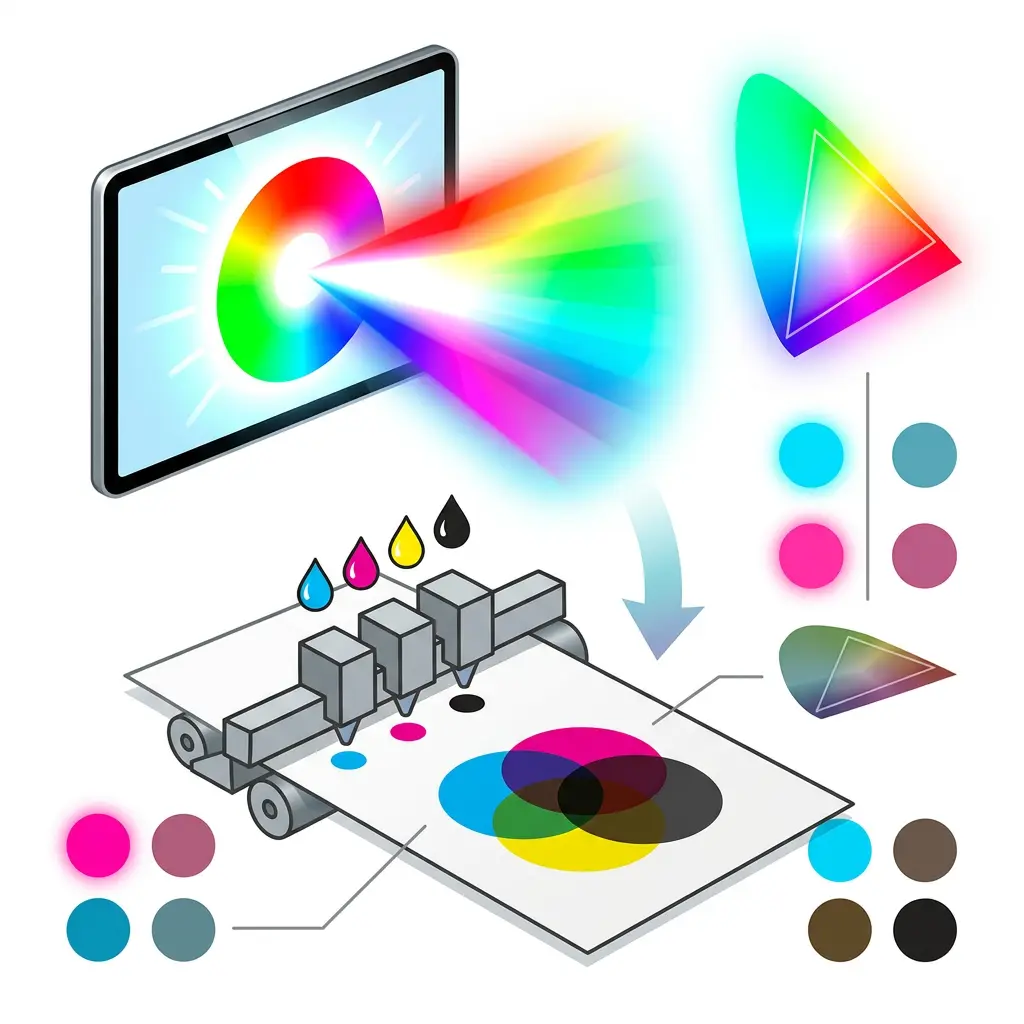
Screens and printed materials create colour in completely different ways.
A phone, computer monitor or television produces colour using light. Printed materials use inks or toners applied to a physical surface.
This difference is important because some bright colours that can be produced using light cannot be reproduced in exactly the same way using standard printing inks.
The appearance of a printed colour can also be affected by:
As a result, a colour displayed on an especially bright monitor should not be treated as an exact printed colour proof.
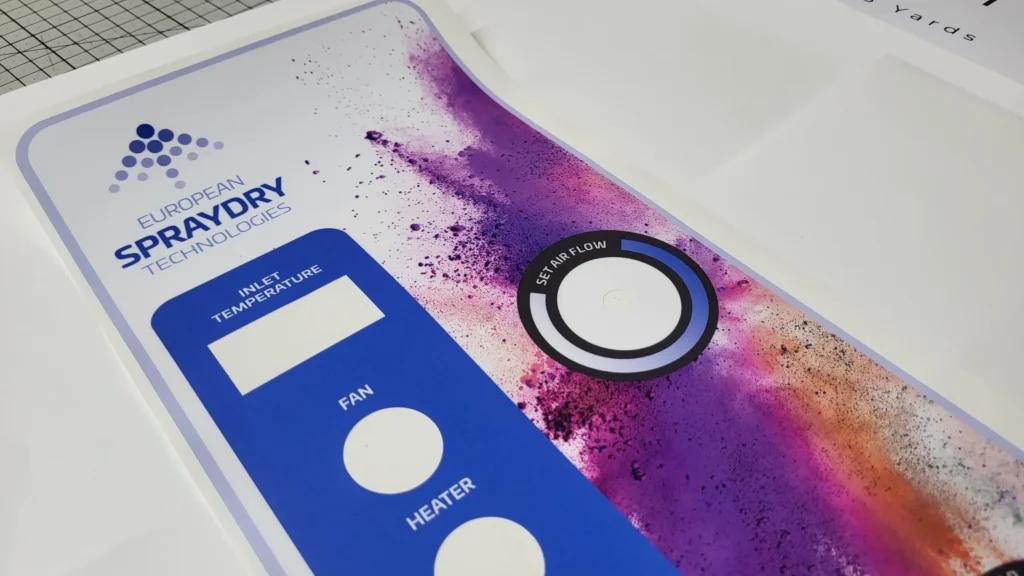
The material also matters. A colour printed on a gloss sticker may look different from the same colour printed on uncoated paper, fabric, board or banner material. Printmonster produces colour artwork across services including custom stickers, display signage and marketing materials.
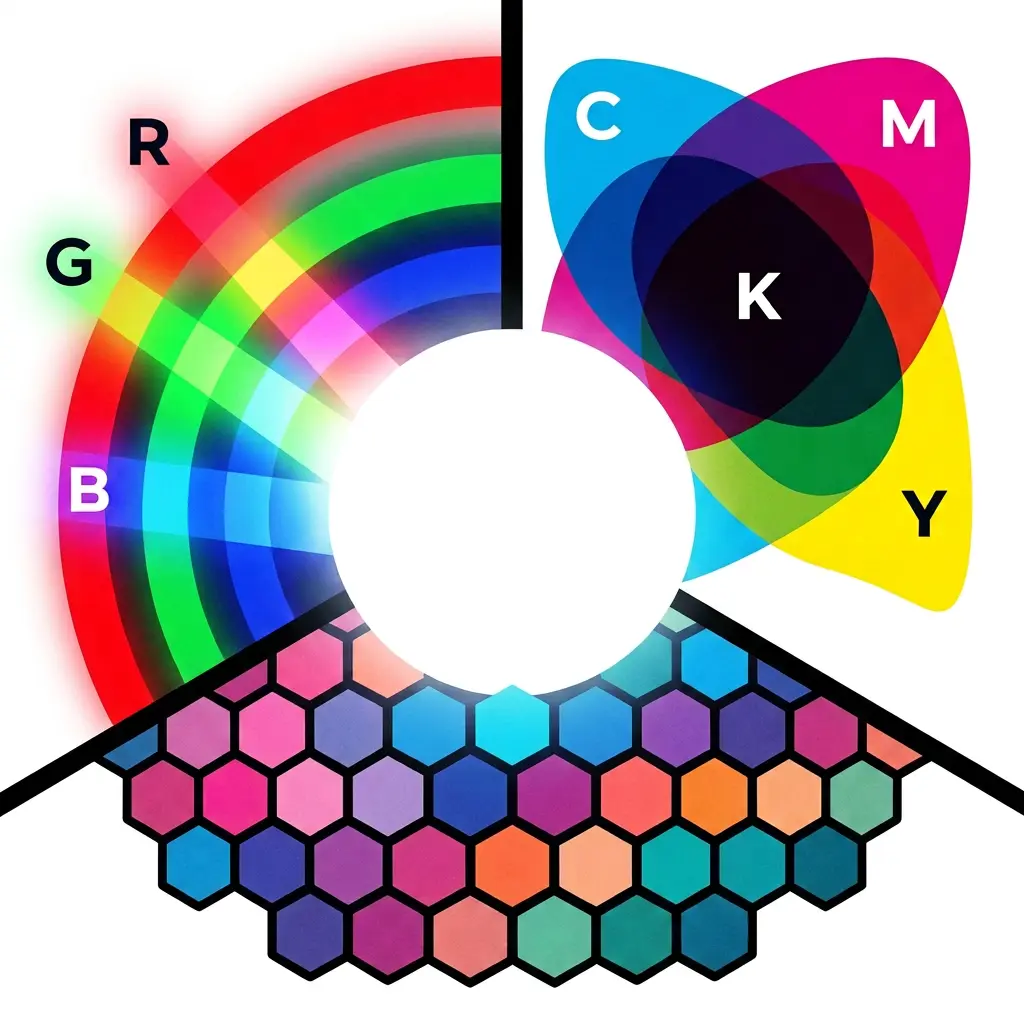
RGB is known as an additive colour system.
This is because coloured light is added together to create other colours.
Red and green light combine to produce yellow.
Green and blue light combine to produce cyan.
Blue and red light combine to produce magenta.
When red, green and blue light are combined at full strength, they create white light.
This makes sense when thinking about a screen. The screen starts dark, then light is added to create the image.
RGB is therefore normally suitable for:
RGB is not normally the preferred colour mode for artwork being prepared for standard commercial printing.
RGB stands for red, green and blue.
These are the primary colours of light used by digital screens. Different amounts of red, green and blue light are combined to create the colours you see on phones, monitors, televisions and other illuminated displays.
RGB values are normally shown using three numbers between 0 and 255.
For example:
RGB 255, 0, 0 produces bright red.
RGB 0, 255, 0 produces bright green.
RGB 0, 0, 255 produces bright blue.
When all three channels are set to zero, the result is black because no light is being produced.
When all three channels are set to 255, the result is white because the red, green and blue light are all being produced at their highest level.
A HEX colour is a six character code used to describe an RGB colour. It normally begins with a hash symbol.
For example:
#E4198E
The six characters are divided into three pairs:
E4 represents red.
19 represents green.
8E represents blue.
Each pair describes the strength of one RGB colour channel using hexadecimal notation.
This means HEX is not a completely separate method of producing colour. It is another way of recording an RGB screen colour.
HEX colours are especially useful in website design because they help designers use consistent colours across buttons, headings, backgrounds and other digital elements.
For example, Printmonster’s main magenta can be represented digitally as #E4198E. However, the same HEX code still needs to be converted before it can be produced using a standard CMYK print process.
CMYK stands for cyan, magenta, yellow and key.
The letter K represents the black printing component. It is called key because the black plate traditionally provided important detail, contrast and alignment within the printed image.
CMYK colours are normally described using four percentages.
For example:
C 100, M 0, Y 0, K 0 describes a strong cyan.
C 0, M 100, Y 0, K 0 describes a strong magenta.
C 0, M 0, Y 100, K 0 describes a strong yellow.
A printing device combines different amounts of these four components to produce photographs, illustrations, backgrounds and other coloured elements.
CMYK is widely used for products including:
You can find more information about these products through Printmonster’s products and services hub.
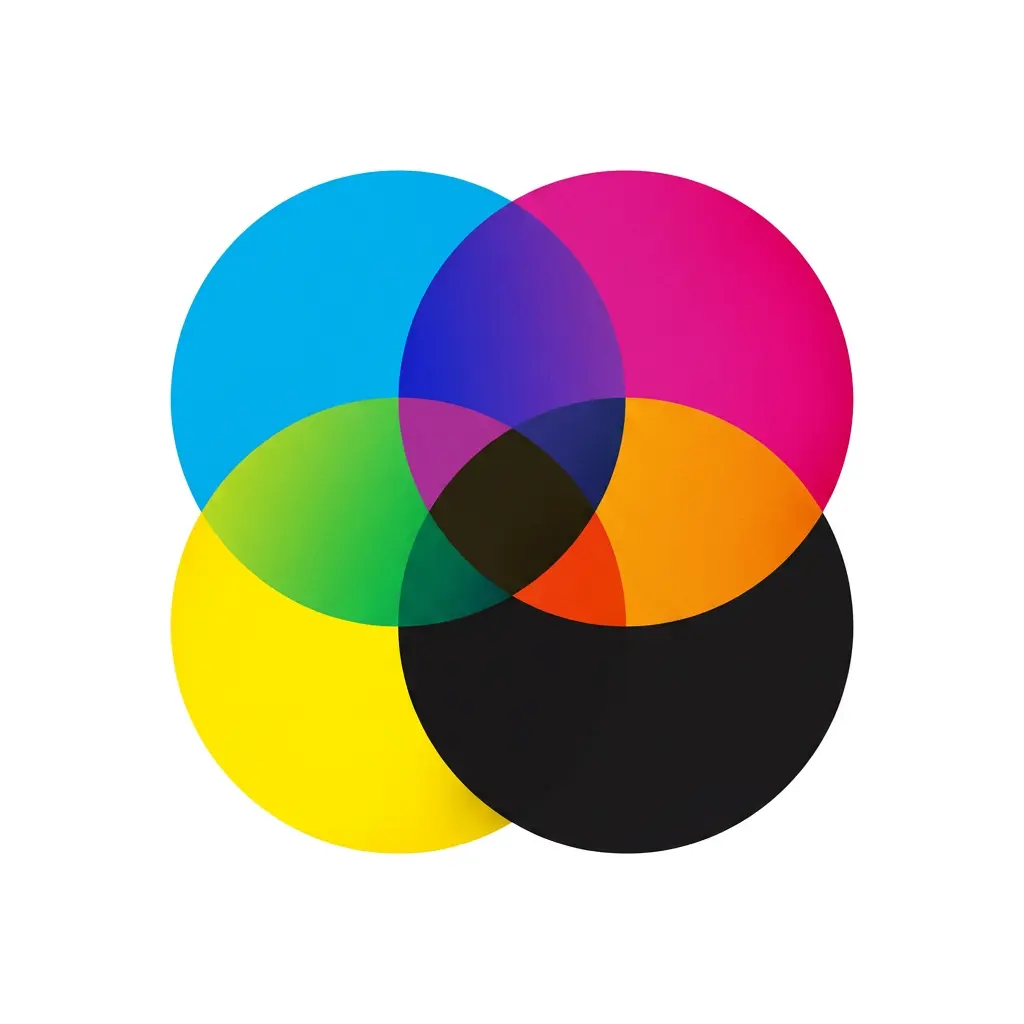
CMYK is based on a subtractive colour process.
A printed surface usually begins with white paper or another light coloured material. When ink is applied, it absorbs or subtracts parts of the light that would otherwise be reflected back towards the viewer.
Cyan absorbs much of the red light.
Magenta absorbs much of the green light.
Yellow absorbs much of the blue light.
The remaining reflected light determines the colour we see.
When cyan and yellow are combined, they produce green.
When cyan and magenta are combined, they produce blue or violet tones.
When magenta and yellow are combined, they produce red or orange tones.
In theory, combining cyan, magenta and yellow at full strength should produce black. In practice, physical inks tend to create a muddy dark brown or grey rather than a clean, neutral black.
This is one reason black is added as a separate printing colour.
Black ink provides stronger shadows, clearer text and better contrast than a mixture made only from cyan, magenta and yellow.
It also helps reduce the amount of coloured ink needed in dark areas.
Small black text is often produced using black alone. This can help keep fine lettering clear and reduce the risk of coloured edges appearing if several printing components do not align perfectly.
Large dark backgrounds may use a combination of black and selected colour percentages to create a deeper appearance. This is sometimes called rich black.
However, there is no single rich black mixture that is suitable for every printing method or material. It is best to ask your printer before setting up a large black area.
Customers creating leaflets, brochures or booklets may also find the best file types for printing guide useful before supplying their artwork.
The range of colours a device or colour system can reproduce is known as its colour gamut.
RGB systems can generally display a wider selection of bright and intense colours than standard CMYK printing.
This is particularly noticeable with:
When RGB artwork is converted to CMYK, colours outside the printable range must be adjusted to the closest available alternative.
The converted colour may look slightly duller, darker or less intense. This is a normal result of moving from an illuminated screen to ink on a physical material.
A laptop, phone and desktop monitor may also show the same RGB colour differently. This is because screen type, brightness, display settings and calibration can all affect its appearance.
A HEX colour can be converted into CMYK values, but this does not guarantee an exact physical match.
Online colour conversion tools can provide a useful starting point. However, different software, colour profiles, printing devices and materials may produce different conversion results.
The same ink values can also appear different on white gloss vinyl, uncoated paper, fabric, board or transparent material.
Where colour accuracy is especially important, tell Printmonster before production. Depending on the project, it may be sensible to work from an existing printed sample, an agreed colour reference or a physical proof rather than relying only on a colour displayed on screen.
Artwork containing logos should ideally be supplied in an editable vector format. Our vector vs raster artwork guide explains why vector files are often preferable for logos, signs, stickers and large format graphics.
Before supplying artwork, check which colour mode is being used.
Professional design applications normally allow you to create or convert a document into CMYK mode. However, changing the document mode does not automatically guarantee that every colour will reproduce exactly as expected.
After conversion, review the artwork carefully. Pay particular attention to bright greens, blues, oranges and other highly saturated colours.
You should also:
Our guide to supplying print ready artwork explains the main checks to complete before sending a file.
You can also read the Printmonster guide to bleed, crop marks and safe areas if your design reaches the edge of the finished product.
Large artwork files can sometimes be too big to attach to an email. The how to send large artwork files guide explains some of the available options.
When sending artwork for a colour sensitive project, it is helpful to include:
Printmonster can review your supplied artwork and explain any obvious colour issues before printing.
We also provide expert design support for customers who need help creating, adjusting or preparing their files.
Businesses, tradespeople and organisations across Cannock and the wider West Midlands can also contact Printmonster for practical printing support and guidance.
A HEX code is a way of recording an RGB colour. It uses six hexadecimal characters to describe the red, green and blue values used on a screen.
For standard printed materials, CMYK artwork is normally preferred. However, it is helpful to provide the original vector logo file and any brand colour information you have. Printmonster can then check the file before production.
Screens produce colour using light, while print uses inks or toners on a physical surface. Screen brightness, monitor calibration, paper colour, material and lighting can all affect the comparison.
Yes. Design software and conversion tools can produce CMYK values from a HEX code. However, the result is an interpretation rather than a guarantee of an exact printed match.
The additive primary colours are red, green and blue. They are added together as light. When all three are combined at full strength, they produce white.
For modern colour printing, the subtractive primary colours are cyan, magenta and yellow. Black is added to improve depth, detail and contrast, creating the CMYK system.
K stands for key. The black component traditionally provided important detail and helped align the other printing plates. Using K also avoids confusion with B, which is commonly associated with blue in RGB.
Not necessarily. Paper brightness, surface texture, coatings, vinyl, fabric, board and other materials can all change the appearance of a printed colour.
Yes. Send your artwork with any RGB, HEX, CMYK or physical colour references you have. Our team can review the file and explain any obvious concerns before production.
Send your file and colour references to Printmonster for practical advice before printing.
| Cookie | Duration | Description |
|---|---|---|
| cookielawinfo-checbox-analytics | 11 months | This cookie is set by GDPR Cookie Consent plugin. The cookie is used to store the user consent for the cookies in the category "Analytics". |
| cookielawinfo-checbox-functional | 11 months | The cookie is set by GDPR cookie consent to record the user consent for the cookies in the category "Functional". |
| cookielawinfo-checbox-others | 11 months | This cookie is set by GDPR Cookie Consent plugin. The cookie is used to store the user consent for the cookies in the category "Other. |
| cookielawinfo-checkbox-necessary | 11 months | This cookie is set by GDPR Cookie Consent plugin. The cookies is used to store the user consent for the cookies in the category "Necessary". |
| cookielawinfo-checkbox-performance | 11 months | This cookie is set by GDPR Cookie Consent plugin. The cookie is used to store the user consent for the cookies in the category "Performance". |
| viewed_cookie_policy | 11 months | The cookie is set by the GDPR Cookie Consent plugin and is used to store whether or not user has consented to the use of cookies. It does not store any personal data. |