
Vector vs Raster Artwork
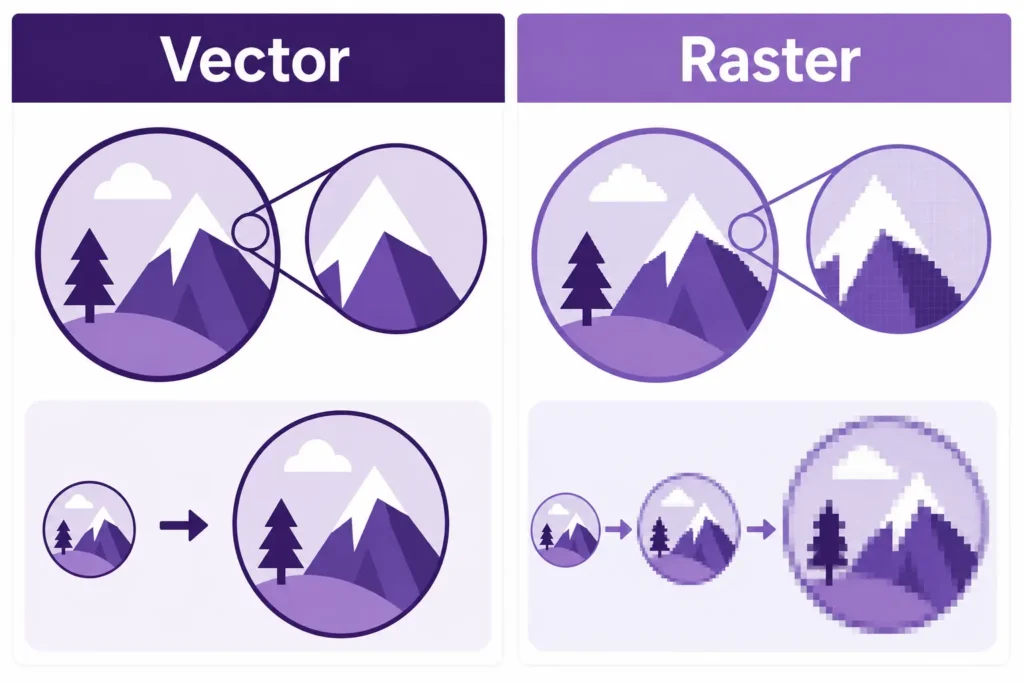
What is the difference between vector and raster artwork?
If you have ever been asked for a “vector logo” or a “high resolution file”, it can sound confusing at first. However, the difference is quite simple once you know what each type of artwork is used for.
Vector artwork is made from shapes, lines and paths. It can be enlarged without becoming blurry. Raster artwork is made from pixels, which means it can lose quality if it is stretched too far.
This matters because print often needs artwork to be used at different sizes. A logo might be printed small on a business card, larger on a leaflet, and much bigger on a sign, van graphic or exhibition display. Choosing the right artwork type helps your finished print look clean, sharp and professional.
Printmonster helps local businesses, tradespeople, schools, events and organisations across the West Midlands with stickers, signage, vehicle graphics, marketing materials, booklets, branded workwear and business stationery, so understanding artwork quality is useful for many different print projects.
What is vector artwork?
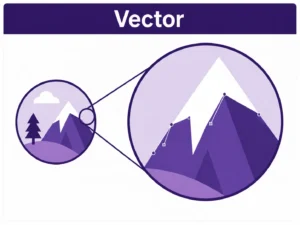
Vector artwork is built from mathematical paths rather than pixels. That means it can be scaled up or down without losing sharpness.
For example, a vector logo can be used on a small appointment card or a large shop sign and still keep clean edges. This makes it ideal for professional print, especially where logos, text, icons or simple graphics are involved.
Common vector file types include:
AI
EPS
SVG
PDF, when saved with vector content
Vector artwork is often best for:
Business logos
Cut vinyl lettering
Die cut stickers
Vehicle graphics
Signage
Window graphics
Branded workwear
Exhibition displays
Large format printing
If you are ordering products such as vehicle graphics, stickers, shop signage, banners or branded clothing, vector artwork is often the best option for your logo. Printmonster’s service range includes all of these areas, so having a good vector logo can make future print projects easier as well.
What is raster artwork?
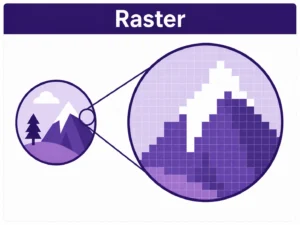
Raster artwork is made from pixels. Photographs are the most common example. JPEG, PNG, TIFF and many Photoshop files are raster based.
Raster artwork can work well for print, but only when the file is high enough quality for the size it needs to be printed. If a raster image is too small, it may look fine on a phone or computer screen but blurry, soft or blocky when printed.
Common raster file types include:
JPEG
PNG
TIFF
PSD
WEBP
Raster artwork is often suitable for:
Photographs
Detailed image based designs
Photo posters
Some leaflets and flyers
Printed backgrounds
Product images
Image based marketing materials
The key point is resolution. A high quality photograph may print beautifully, while a small image taken from a website may not.
Why vector artwork is important for logos
Logos are one of the most common artwork issues in print. Many businesses only have a small JPEG or PNG version of their logo, often taken from a website, email footer or social media profile. This can be fine for online use, but it is not always good enough for professional print.
A low quality logo can cause problems such as:
Blurry edges
Pixelated text
Rough curves
Poor colour reproduction
Difficulty cutting shapes accurately
Poor results when enlarged
A vector logo gives much more flexibility. It can be used across business cards, labels, signs, banners, uniforms, vehicle graphics and promotional items without needing to be recreated every time.
If your business is likely to order different types of print over time, it is worth keeping a proper vector version of your logo on file.
When raster artwork is suitable for print
Raster artwork is not bad. It just needs to be used correctly.
Photos, textures and detailed images are usually raster files. For example, if you are printing a photograph on a poster, a product image on a leaflet, or a background image in a brochure, raster artwork is normally expected.
A raster file is more likely to print well when:
It is high resolution
It is supplied at the correct size
It has not been heavily compressed
It is not copied from a website
It looks sharp when viewed at full print size
It has suitable colour settings for the job
As a simple check, zoom in on the file. If it already looks blurry or blocky on screen, it is unlikely to improve when printed.
Common problems with low quality artwork
Low quality artwork can delay a print job because it may need to be checked, replaced, corrected or recreated. It can also affect the finished result.
Common artwork problems include:
Logos copied from websites
Screenshots used as final artwork
Small images stretched too large
Text supplied as a flattened image
No bleed on designs that print to the edge
Missing fonts
Incorrect file size
Poor quality Canva exports
Artwork taken from social media
These issues are especially important for print products where detail and clarity matter, such as business cards, leaflets, stickers, product labels, signage, vehicle graphics and exhibition displays.
Which file type should you send?
For most print jobs, a print ready PDF is the safest file type to send. However, the best supporting file depends on the job.
For logos, send a vector file if you have one. AI, EPS, SVG or a vector PDF are usually useful.
For photographs, send the highest quality original image available. JPEG or TIFF files are common.
For designs made in Canva, export as a print PDF where possible, rather than sending a screenshot.
For artwork created by a designer, ask them to supply a print ready PDF and, if needed, the original design file or vector logo.
For signs, vehicle graphics and cut vinyl, vector artwork is usually much better because it keeps edges clean and allows accurate scaling.
Need help checking your artwork?
Do not worry if you are unsure whether your artwork is vector or raster. Many customers are not sure, especially if the file was created a long time ago or supplied by someone else.
Printmonster can check your artwork and explain what is needed in plain English. If your file is suitable, we can advise on the next step. If it is not suitable, we can let you know what type of file would work better.
For local businesses across Cannock, Walsall, Wolverhampton, Lichfield, Stafford, Birmingham and the wider West Midlands, this can make ordering print much easier.
Whether you need stickers, labels, signs, banners, vehicle graphics, workwear, marketing materials or business stationery, sending the right artwork helps your print look its best from the start.
FAQ
What is the main difference between vector and raster artwork?
Vector artwork is made from scalable paths, so it can be enlarged without losing quality. Raster artwork is made from pixels, so it can become blurry or pixelated if stretched too much.
Is a PDF vector or raster?
A PDF can contain vector artwork, raster artwork, or both. A print ready PDF is often the best file to send, but a PDF is only as good as the artwork saved inside it.
Is a JPEG a vector file?
No. A JPEG is a raster file made from pixels. It can be suitable for print if it is high resolution, but it is not ideal for logos that need to be enlarged.
Is a PNG good for print?
A PNG can sometimes be used, especially if it is high quality. However, PNG files are often created for screen use, so they may not always be suitable for professional printing.
Why has my logo gone blurry when printed?
Your logo may be too low resolution or it may have been enlarged too much. This often happens when a small JPEG or PNG logo is used instead of a vector logo.
What file type is best for a logo?
A vector file is usually best for a logo. Useful formats include AI, EPS, SVG and vector PDF.
Can Printmonster tell me if my artwork is suitable?
Yes. Send your artwork to Printmonster and the team can check whether it is suitable for print, or advise what type of file would work better.
Not sure whether your artwork is vector or raster?
Send your file to Printmonster and our friendly team will check it for you. We can advise whether your artwork is suitable for print, explain any issues clearly and help you prepare files for stickers, signs, vehicle graphics, workwear, marketing materials and more.