
Best File Types for Printing
What is the best file type for printing?
When you are ordering printed products, the file you send can make a big difference to the finished result. A clear, high quality file helps your print look sharp, keeps colours and text more reliable, and reduces the chance of delays while artwork is checked.
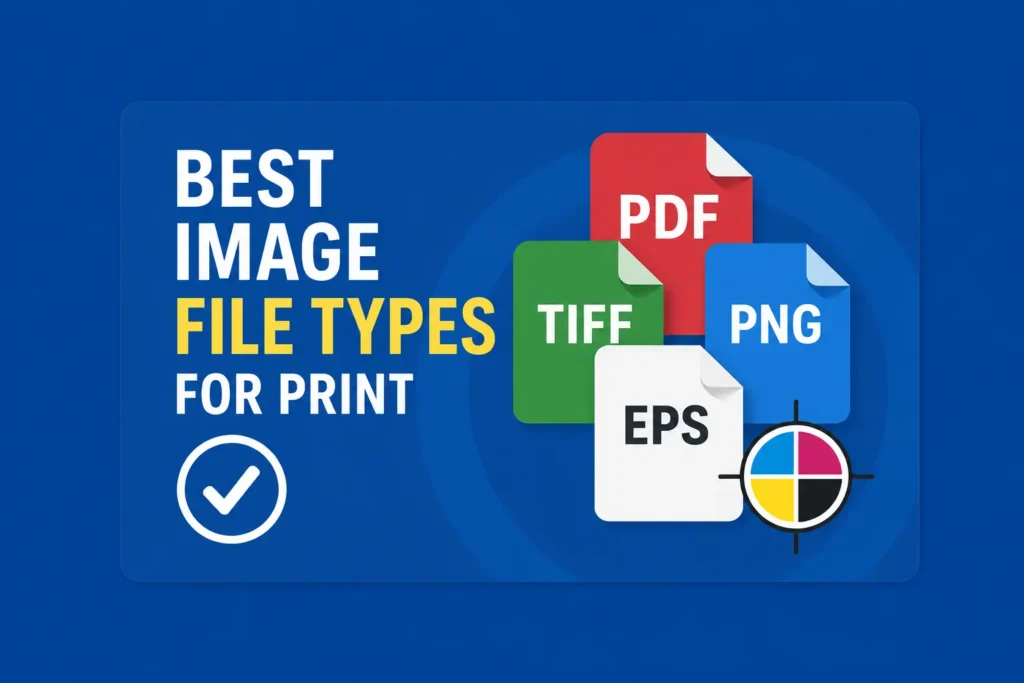
For most print jobs, the best file type to send is a high resolution PDF. This is usually the safest and most practical format for leaflets, business cards, stickers, labels, posters, booklets, signs, banners and many other printed items.
At Printmonster, we help local businesses, tradespeople, schools, event organisers and organisations across the West Midlands with a wide range of print, from custom stickers and signage to workwear, vehicle graphics, marketing materials and business stationery. The right artwork file helps us get your project moving in the right direction from the start.
Why PDF is usually the safest option
A print ready PDF is often the best choice because it can keep your layout, images, fonts and design elements together in one file. This makes it easier to check and produce accurately.
A good PDF for print should usually include high resolution images, embedded or outlined fonts, correct page size and bleed where needed. Bleed means the artwork extends slightly beyond the finished edge, which helps avoid unwanted white edges after trimming.
PDF files are especially useful for:
Leaflets and flyers
Business cards
Brochures and booklets
Posters
Menus
Presentation folders
Labels and stickers
Document printing
Signage artwork
Printmonster already has a wide range of related services on the website, including flyer printing, booklet printing, business card printing, poster printing, custom stickers and signage products.
When to send vector artwork
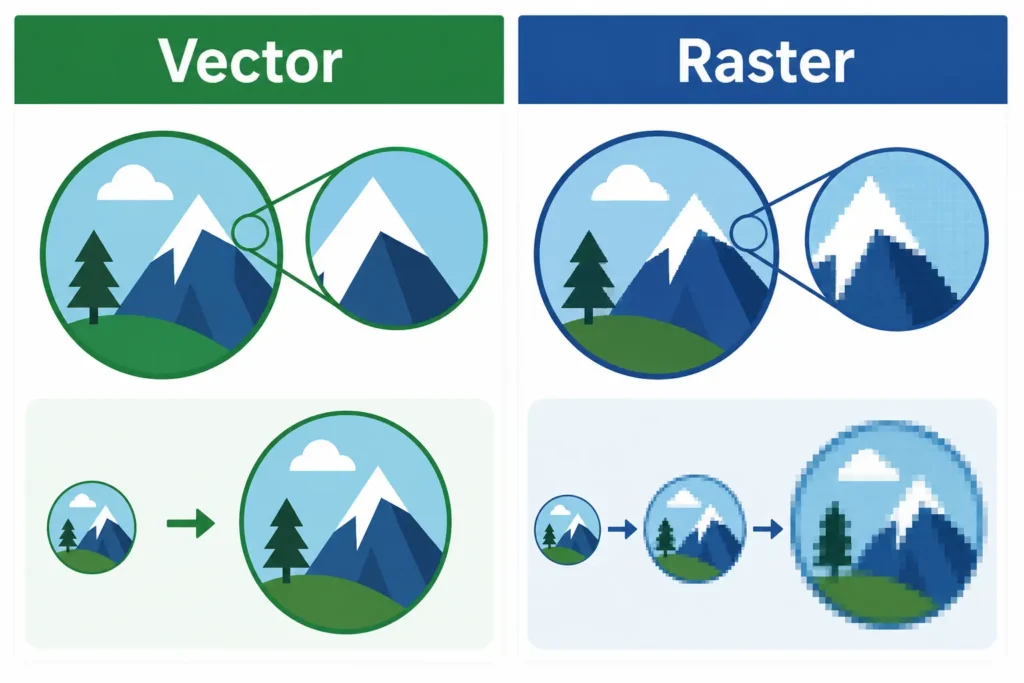
Vector artwork is ideal for logos, simple illustrations, cut lines and designs that need to be scaled up without losing quality. Unlike a normal photo, vector artwork is made from shapes and paths rather than pixels. This means it can be enlarged for signs, vehicle graphics, banners and clothing without becoming blurry.
Common vector file types include:
AI
EPS
SVG
PDF, when saved with vector content
Vector files are especially useful for:
Vehicle graphics
Vinyl lettering
Cut vinyl stickers
Logo printing
Large format signs
Workwear decoration
Exhibition displays
Window graphics
For example, if you are ordering vehicle graphics, signage, stickers or branded workwear, a vector logo is usually much better than a small logo copied from a website or social media page.
Can JPEG and PNG files be used for print?
JPEG and PNG files can sometimes be used, but they need to be good enough quality. These file types are image based, which means they are made from pixels. If the file is too small, it may look sharp on screen but blurry or pixelated when printed.
A JPEG can be suitable for photographs, image based designs or simple print jobs, as long as it is high resolution and saved at the correct size.
A PNG can be useful when a transparent background is needed, but it is not always the best option for professional print. PNG files are often created for screens, websites and digital use, so they may not always be set up correctly for print.
As a simple rule, a file that has been downloaded from a website, screenshotted from a phone or taken from social media is often too low quality for sharp printing.
File types to avoid where possible
Some file types can cause problems because they are not designed for professional printing. They may still be useful as a visual guide, but they are not always suitable as final artwork.
Try to avoid sending only:
Screenshots
Low resolution website images
Word documents as final artwork
PowerPoint slides as final artwork
Canva previews without print settings
Images copied from social media
Small logo files from email signatures
Photos of a design on a screen
These files may help us understand what you want, but they often need to be recreated, corrected or supplied again in a better format.
Quick artwork checklist before sending files
Before sending your artwork to Printmonster, it is worth checking a few simple things:
Is the file the correct size?
Is the text clear and readable?
Are the images sharp when viewed at full size?
Have you supplied a PDF where possible?
Is your logo available as a vector file?
Does the artwork include bleed if it will be trimmed?
Have you checked spelling, phone numbers and website addresses?
Are any important details kept away from the edge?
This is particularly important for printed products such as business cards, leaflets, stickers, labels, signs, banners, booklets and presentation folders.
Need help with your artwork?
Do not worry if you are not sure which file to send. Print files can be confusing, especially when different designers, apps and platforms use different formats.
Printmonster offers design services and practical artwork support, so if you have a logo, rough idea, Canva file, previous print file or an old design that needs updating, our team can advise on the best next step.
If your file is not quite right, we will explain the issue clearly and help you understand what is needed. Whether you are ordering stickers, signage, vehicle graphics, branded workwear, marketing print or business stationery, sending the best file type at the start can help the job run more smoothly.
For customers across Cannock, Walsall, Wolverhampton, Lichfield, Stafford, Birmingham and the wider West Midlands, Printmonster is here to make the print process easier to understand.
FAQ
What is the best file type to send for printing?
A high resolution PDF is usually the best file type for printing. It keeps the layout, text, images and design elements together, which makes it easier to check and print accurately.
Is a JPEG good enough for print?
A JPEG can be suitable if it is high resolution and saved at the correct size. However, small JPEGs from websites, emails or social media are often too low quality for sharp print.
What is a vector file?
A vector file is artwork made from scalable shapes and paths. It is ideal for logos, signage, vehicle graphics, stickers and workwear because it can be enlarged without becoming blurry.
Can I send artwork from Canva?
Yes, in many cases you can send artwork from Canva, but it should be exported correctly. A print PDF is usually better than a screenshot or preview image.
Can Printmonster check my artwork before printing?
Yes. Printmonster can check your supplied artwork and advise if anything needs changing before print. If you are unsure, send your file over and ask the team for guidance.
Why does my logo look blurry when printed?
Your logo may be too low resolution. This often happens when a logo has been copied from a website, email signature or social media profile. A vector logo is usually the best option for sharp print.
Do I need bleed on my artwork?
If your design prints to the edge of the finished item, bleed is usually needed. This gives a little extra artwork beyond the trim edge and helps avoid unwanted white borders.
Need help choosing the right file type?
Not sure whether your artwork is ready to print? Send it to Printmonster and our friendly team will take a look. We can advise on the best file type, explain any artwork issues clearly and help you prepare your design for stickers, signs, leaflets, workwear, vehicle graphics and more.